
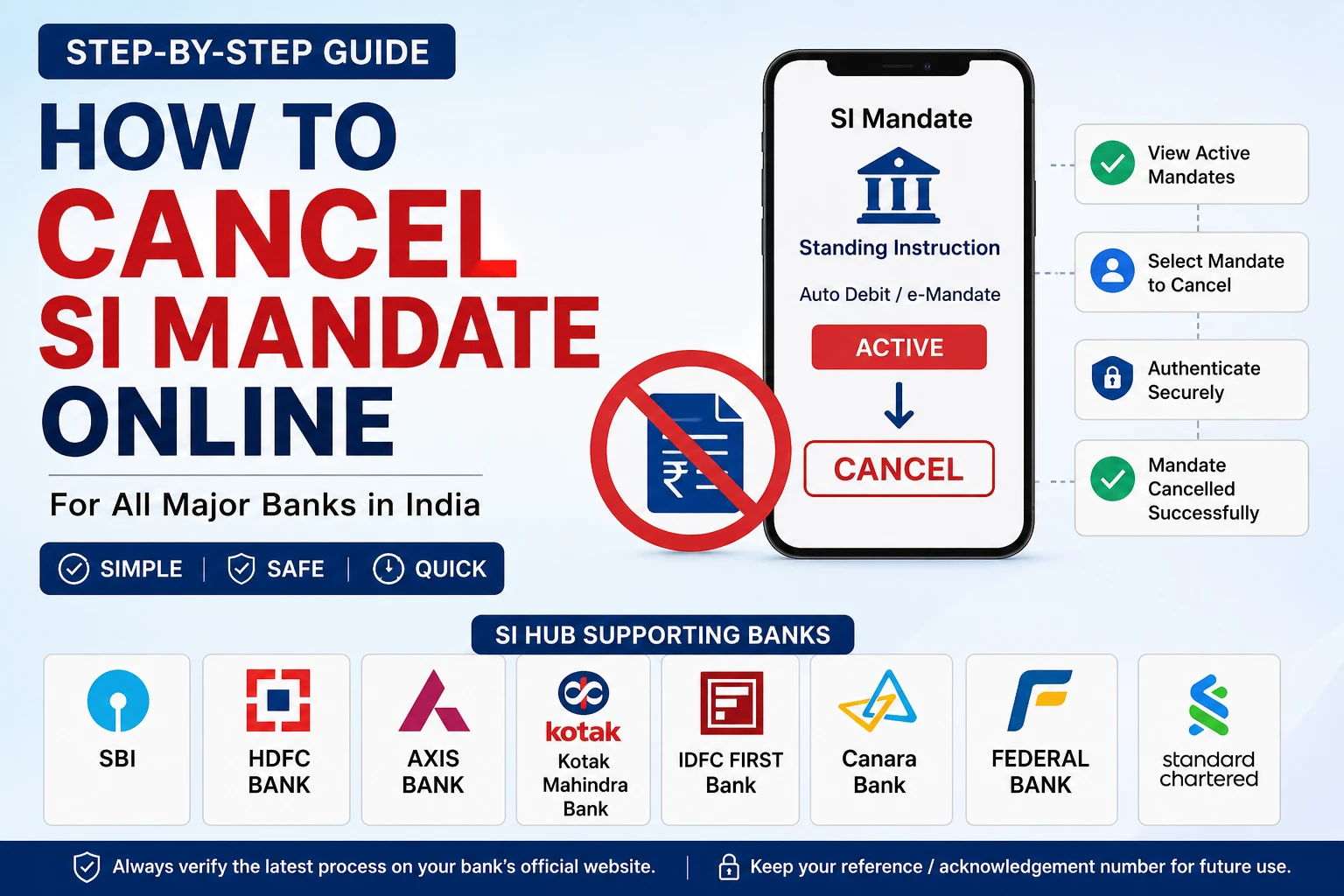

If money is being deducted automatically from your bank account or credit card for loan EMIs, insurance premiums, OTT subscriptions, SIPs, or utility bills, you may have an active Standing Instruction (SI) Mandate or e-Mandate.
Most banks now allow customers to view and cancel eligible card-based recurring payment mandates online through SI Hub or their own recurring payment portal. The exact process varies by bank.
What is SI Mandate?
An SI (Standing Instruction) Mandate is an authorization you give to your bank or card issuer to automatically debit money from your account or card at regular intervals.
Examples include:
- Credit card bill payments
- Loan EMI
- SIP investments
- Insurance premiums
- Netflix, Amazon Prime, Spotify
- Electricity and broadband bills
How to Cancel an SI Mandate
- Login to your bank’s SI Hub or recurring payments portal.
- Complete authentication (if required).
- View active mandates.
- Select the mandate you want to cancel.
- Confirm cancellation using OTP or other authentication.
- Save the acknowledgement or reference number.
Depending on the bank and merchant, the cancellation may take some time to reflect.
SI Hub Links for Major Banks
| Bank | Manage SI / e-Mandate |
|---|---|
| SBI Card | https://www.sbicard.com/emandates |
| Axis Bank | https://www.sihub.in/managesi/axisbank/#/home/landing |
| HDFC Bank | https://www.sihub.in/managesi/hdfcbank/#/home/login |
| Kotak Mahindra Bank | https://www.sihub.in/managesi/kotak/#/home/landing |
| IDFC FIRST Bank | https://www.sihub.in/managesi/idfcfirstbank |
| Canara Bank | https://www.sihub.in/managesi/canara/ |
| Federal Bank | https://www.sihub.in/managesi/federal |
| Standard Chartered | https://www.sihub.in/managesi/scb |
These banks provide SI Hub or equivalent recurring payment management portals for eligible card mandates. Availability and supported features may differ by bank.
If Your Bank Is Not Listed
Some banks manage recurring payments through:
- Internet Banking
- Mobile Banking App
- Merchant website/app
- Customer Care
- Branch visit
Always check your bank’s official website or customer support for the latest process.
Common Reasons Cancellation Fails
- The merchant controls the subscription.
- The card has already expired or been replaced.
- The mandate has already been cancelled.
- Authentication failed.
- There is a pending debit.
Frequently Asked Questions
Is SI Mandate the same as Auto Debit?
In most cases, yes. SI Mandate, Standing Instruction, Auto Debit, and e-Mandate all refer to recurring payment authorizations, though the underlying payment method (card, NACH, ECS, etc.) can differ.
Can I cancel only one mandate?
Yes. You can usually cancel an individual recurring payment without affecting others, if your bank or merchant supports it.
How long does cancellation take?
Many cancellations are immediate, but some may take up to a few working days depending on the bank and merchant.
Will cancelling the mandate stop my loan EMI?
No. Cancelling the payment instruction does not cancel your loan. You remain responsible for making repayments through another approved method.
Disclaimer
This guide is for informational purposes only. Banks may change their SI Hub portals, supported features, or cancellation procedures without prior notice. Always verify the latest instructions on your bank’s official website before cancelling a mandate.
An SI (Standing Instruction) Mandate allows your bank or card issuer to automatically debit recurring payments such as EMIs, subscriptions, or insurance premiums.
Yes. Most major banks allow customers to cancel eligible SI Mandates through Internet Banking, Mobile Banking, SI Hub, or the merchant’s website.
No. Cancelling the mandate only stops automatic debits. You must still repay your loan through another payment method.